
Abstract
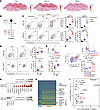
T follicular helper (TFH) cells are critical for humoral immunity against infections and correlate with immunotherapy efficacy, whereas immune checkpoint inhibitor therapy can drive their aberrant expansion, underscoring the need to understand the regulators controlling TFH cell fate. However, the epitranscriptomic regulation of their differentiation remains poorly understood. Here, we identify the 3-methylcytosine (m³C) methyltransferase METTL8 as a key regulator of TFH cell differentiation in both viral infection and cancer. METTL8 was preferentially expressed in CXCL13hi TFH cells, and its deficiency impaired TFH differentiation and germinal center responses in the lymphocytic choriomeningitis virus infection model and following anti–PD-1 immunotherapy in tumor models. Mechanistically, METTL8 exerted dual functions: it bound and stabilized Tcf7 mRNA through m³C modification, and it interacted with TCF1 protein to regulate chromatin accessibility and 3D genome organization at key TFH-associated loci, including Cxcr5 and Il6ra. Notably, ginkgolic acid treatment suppressed TFH responses without compromising the antitumor efficacy of anti–PD-1 therapy, an effect associated with METTL8. Collectively, our findings identify METTL8 as an epitranscriptomic regulator linked to RNA modification, TCF1-associated transcriptional control, and chromatin architecture during TFH differentiation and suggest that modulation of this pathway may provide a strategy to tune TFH-driven immune responses.
Authors
Jiaxi Song, Dan Cui, Jiabao Wang, Xuewei Qi, Jiaxin Ma, Haoyu Yu, Qing Liu, Jing Yang, Tengfei Hu, Xu Han, Handong Ma, Rentao Yu, Ying Dai, Xiaona Zhang, Qunfa Cao, Xiaoyuan Song, Bofeng Li, Lilin Ye, Hua Wang, Qizhao Huang, Jia Li, Fengyin Li
This file is in Adobe Acrobat (PDF) format. If you have not installed and configured the Adobe Acrobat Reader on your system.
Having trouble reading a PDF?
PDFs are designed to be printed out and read, but if you prefer to read them online, you may find it easier if you increase the view size to 125%.
Having trouble saving a PDF?
Many versions of the free Acrobat Reader do not allow Save. You must instead save the PDF from the JCI Online page you downloaded it from. PC users: Right-click on the Download link and choose the option that says something like "Save Link As...". Mac users should hold the mouse button down on the link to get these same options.
Having trouble printing a PDF?
- Try printing one page at a time or to a newer printer.
- Try saving the file to disk before printing rather than opening it "on the fly." This requires that you configure your browser to "Save" rather than "Launch Application" for the file type "application/pdf", and can usually be done in the "Helper Applications" options.
- Make sure you are using the latest version of Adobe's Acrobat Reader.
Unedited blot and gel images - Download (520.27 KB)


Copyright © 2026 American Society for Clinical Investigation
ISSN: 0021-9738 (print), 1558-8238 (online)